
Stock Screener - Stock Screens
Stock Screener APPFinance
4.352.00 Reviews
- Version
- 2.4
- Installs
- 10.00K
- Age Rating
- Everyone
Screenshots
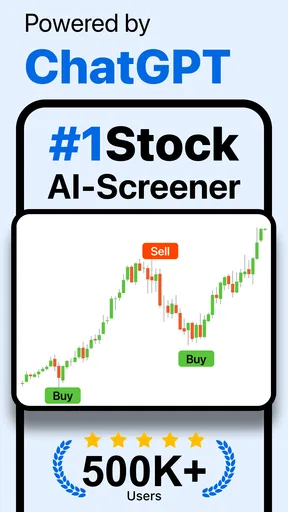
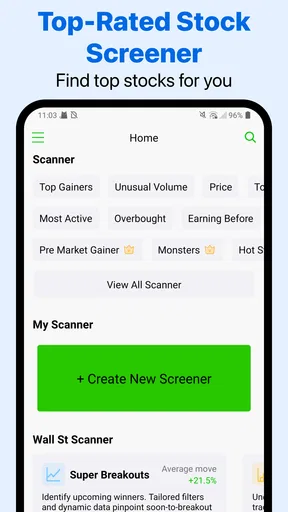
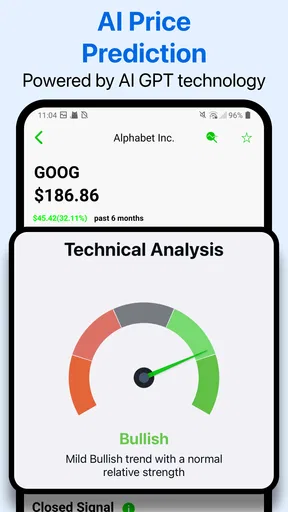
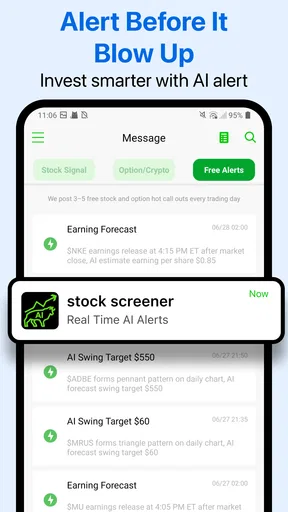
Our Review of Stock Screener - Stock Screens
 Analysis by Appyee
I’d judge a stock-screening app by a practical question: does it help me narrow a broad market into a manageable research list, without making the results feel like decisions I should follow blindly? That distinction matters with Stock Screener - Stock Screens. A screen can save time, but it cannot tell me whether a company suits my finances, risk tolerance, or plans. I see this app as a place to organize ideas and signals, not as a substitute for doing the homework.
That makes it most useful when I already have a question in mind. Perhaps I want to compare companies in one industry, look for a particular kind of stock, or keep an eye on names that match a strategy I’m learning. If I simply want a polished brokerage account where I can research, place trades, and manage a portfolio in one flow, a broker’s own app may be a better starting point. The right choice depends less on how many tools an app appears to offer and more on what I need to do next.
A research companion, not a shortcut to a trade
Stock Screener - Stock Screens is a free finance app from Stock Screener APP. It has a 4.3 average from around 190 ratings and more than 10,000 installs, giving it a modest but established footprint rather than the scale of a household investing platform. Its age rating is Everyone, and the current version is 2.2, which runs on Android 8.0 or later. Those details make it approachable to try, but they do not tell me whether a particular screening result is suitable for my account.
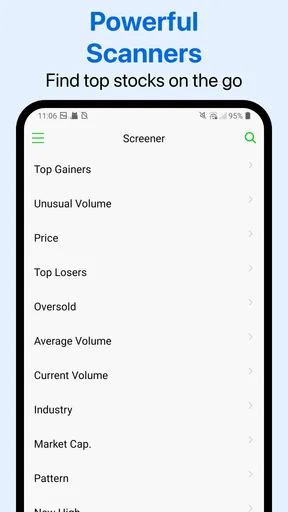
The app’s central appeal is the screening workflow: narrow a large field of stocks using criteria, then follow trading signals and examine the names that remain. That is a sensible way to begin research because it turns an open-ended search into a shortlist. I would still verify any candidate in a trusted source before acting. A screen can surface an interesting match; it cannot capture every reason a stock might be a poor fit, and an AI-assisted signal should be treated as a prompt to investigate rather than a forecast.
Where it can save time
The best use case I can see is recurring research. Instead of rebuilding the same search each time, I’d save a screen for the conditions I care about and revisit the resulting list. That keeps the first pass consistent: I can compare candidates against the same rules instead of letting a dramatic headline or a sudden price move steer the whole process. Saved screens are particularly helpful when I’m learning, because I can adjust one condition at a time and see how that changes the set of names I need to examine.
For example, on a weekend I might use a screen to collect companies that fit a broad investment idea, then make a short list for closer reading. During the week, I could check the signal tracking to decide which names deserve another look, rather than treating every market movement as a reason to trade. I’d keep notes outside the app about why each company made the list and what would make me remove it. That small habit makes it easier to distinguish a useful research filter from a collection of tempting tickers.
The AI element may help direct attention, especially if I’m not sure where to begin, but it also calls for restraint. Recommendations can feel more personal and authoritative than they really are. I would ask what evidence supports a suggestion, whether the screening conditions match my own approach, and whether the company still makes sense after checking current information elsewhere. If I can’t explain why a stock is on my list in plain language, I’m not ready to buy it.
Getting Started with Stock Screener
Right off the bat, downloading and installing Stock Screener - Stock Screens is a breeze. It's available for both Android and iOS, so you're covered no matter what device you prefer. Once you've got it on your phone, you're greeted with a clean and intuitive interface that doesn't bombard you with too much information at once—a feature I truly appreciate.
User-Friendly Interface
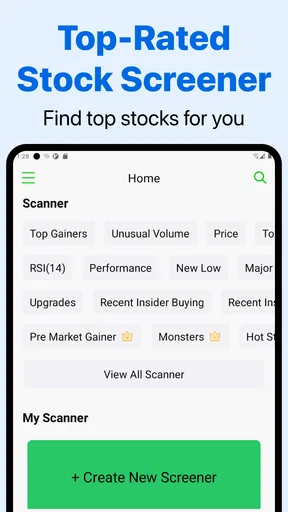
The app's design is sleek and user-friendly. It doesn't matter if you're a seasoned trader or a newbie; navigating through the different features is straightforward. The home screen gives you a snapshot of the market trends, which is super handy for a quick overview.
One of my favorite parts is the customizable dashboard. You can tweak it to show only the data you care about, which saves a ton of time. No more sifting through irrelevant information!
Features That Stand Out
The app is packed with features that are actually useful. Here are some highlights:
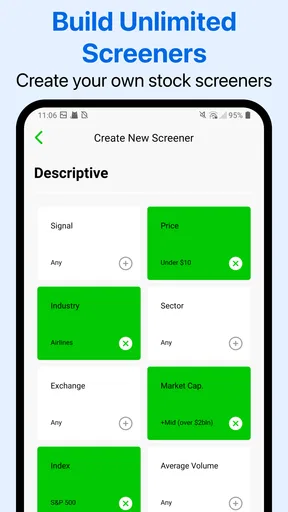
- Advanced Filters: You can filter stocks based on various criteria such as market cap, dividend yield, or industry sector. This helps in zeroing in on potential investments that match your strategy.
- Real-Time Data: The app provides real-time market data, which is crucial for making timely decisions. No more outdated info!
- Comprehensive Analysis Tools: Whether it's technical charts or fundamental analysis, the app covers all bases. The interactive charts are particularly useful for spotting trends and patterns.
The app also allows you to save your favorite screens for quick access later. This is a lifesaver if you monitor specific metrics regularly.
Make the screens work harder
To get more value from filters, I’d start with a broad screen and tighten it gradually. If I set too many conditions at once, a short result list can look reassuring while actually reflecting my assumptions more than the market. I’d note the number and type of matches before adding another filter, then ask whether that extra rule answers a real question. This is a practical way to avoid building a screen that only confirms what I already expect to find.
I’d also separate discovery from monitoring. A screen that helps me find candidates is not necessarily the right one for keeping tabs on them. I would save a discovery screen for occasional research and a narrower screen for names I already understand. That distinction reduces noise and makes a signal easier to interpret: it becomes a reason to revisit a known candidate, not an automatic instruction to trade.
There is a trade-off in keeping everything on a phone. A compact interface is convenient for quick checks, but comparing several companies or carefully reading financial information can be easier on a larger screen and with independent sources open alongside it. I’d use the app to decide what deserves attention, then move to a more detailed research setup before making a consequential choice.
What Makes It Shine?
For me, the standout feature is the personalized stock recommendations. The app analyzes your preferences and previous searches to suggest stocks that might interest you. It's like having a personal financial advisor right in your pocket!
Another aspect worth mentioning is the educational content. The app offers a series of tutorials and articles that help you understand the stock market better. It's perfect for those who are still learning the ropes.
Who should choose a different tool?
If I want to place orders, see holdings, and manage cash, I’d choose a brokerage app that is built around account management. If my main interest is long-form company research, earnings documents, or comparing detailed financial statements, I’d look for a research service designed for that work. And if I need a professional-grade terminal for constant market monitoring, a phone-based screener is unlikely to be the whole solution. Those alternatives serve different jobs; the point is not that one is universally superior, but that screening is only one part of investing.
This app is also not the right fit for someone who expects an AI suggestion to remove uncertainty or guarantee a profitable trade. Market signals can change, and a filter’s output depends on the conditions chosen. Even an apparently strong candidate can carry risks that a screen does not express. I’d skip it if I’m unwilling to check the underlying company information or if I’m looking for personalized financial advice rather than a research aid.
There is a cost decision to make before relying on it every day. The app is free to download, while in-app purchases range from about $30 to $300 per item. I’d first identify which part of my workflow is genuinely blocked by the free experience, then decide whether a paid option solves that specific problem. A subscription or purchase is poor value if I only check a screen now and then, or if I have not yet formed a repeatable research routine.
Switching tools later is easiest if I keep my own record of why I saved a screen and what its conditions mean. A saved setup is convenient, but it should not become an unexplained rule that I follow out of habit. I’d keep a simple note with the purpose of each screen and review it when my strategy changes. That makes moving to another screener less disruptive and helps prevent an old filter from quietly shaping decisions that no longer fit.
My Personal Take
After using Stock Screener - Stock Screens for a while, I can honestly say it has made my stock trading experience much smoother. The real-time alerts ensure I'm always in the loop, and the wealth of data at my fingertips is empowering. It's like having a whole research team on your phone.
One thing to keep in mind is that while the app is free to download, some advanced features require a subscription. However, given the value it provides, it's well worth the investment, especially if you're serious about trading.
Overall, whether you're dipping your toes into the stock market or you're an experienced trader, Stock Screener - Stock Screens is an invaluable tool. It streamlines the research process and helps you make more informed decisions, which is ultimately what every investor needs.
So, if you're ready to take your investment game to the next level, give it a try. You might just find it’s the missing piece in your trading toolkit.
My recommendation is more measured: I’d try it as a way to structure stock discovery, especially if I already know the filters I want to explore and can judge the results for myself. I would not make it my only source of market information, and I would not pay until I knew which feature I use often enough to justify the expense. For a beginner, the most valuable outcome may be learning to ask better research questions; for an active investor, it may simply be a faster first pass.
In short, this is worth considering if a focused screener and signal tracking fit into a wider research routine. It is less compelling if I need trading, portfolio administration, or deep company analysis in the same place. I’d use it to make a shortlist, check those ideas carefully elsewhere, and make the final call based on my own plan rather than an app-generated prompt.
Verdict
Strengths of Stock Screener - Stock Screens
- User-friendly interface for quick navigation.
- Real-time data updates enhance decision-making.
- Customizable filters for tailored results.
- Comprehensive stock analysis tools available.
- Supports multiple stock exchanges globally.
Limitations of Stock Screener - Stock Screens
- Limited free version features.
- Occasional ads can be disruptive.
- Requires internet for full functionality.
- Some advanced tools need a subscription.
- Interface might overwhelm beginners.
Other Releases by Stock Screener APP
View All
Stocks Signals - Stock Tracker
Finance3.4

Stock Scanner - Market Mover
Finance3.1
Similar Picks in This Category
View All
Google Wallet
Google LLC4.3

Airtel: Recharge, Bank & Loans
Airtel4.0

PayPal - Pay, Send, Save
PayPal Mobile4.2

DANA Indonesia Digital Wallet
PT Espay Debit Indonesia Koe4.5

Binance: Buy Bitcoin & Crypto
Binance Inc.4.8

Cash App
Block, Inc.4.7
Frequently Asked Questions
What features does the Stock Screener app offer?
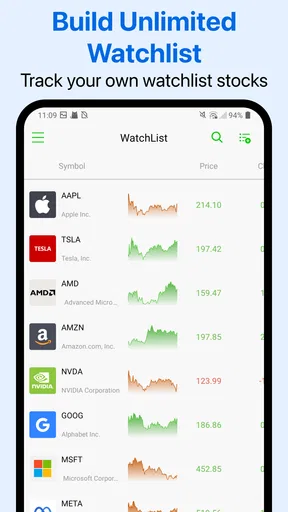
Stock Screener provides comprehensive tools for investors, including customizable stock filters, real-time market data, and advanced charting options. Users can set alerts for specific stocks, analyze historical data, and create personalized watchlists. The app is designed to help both novice and experienced traders make informed investment decisions.
Is Stock Screener free to use?
The Stock Screener app offers both free and premium versions. The free version includes basic screening tools and limited data access, while the premium version provides advanced features such as in-depth analysis tools, ad-free experience, and priority customer support. Users can choose based on their investment needs and budget.
How user-friendly is the Stock Screener app?
The app is designed with a user-friendly interface that caters to both beginner and advanced users. It features intuitive navigation, easy setup for watchlists and alerts, and clear chart displays. Tutorials and help sections are available to guide new users, ensuring a smooth experience across all devices.
Can I use Stock Screener on both Android and iOS devices?
Yes, Stock Screener is available on both Android and iOS platforms. It is optimized for performance on smartphones and tablets, ensuring consistent functionality and design across devices. Users can download the app from Google Play Store for Android or the Apple App Store for iOS, making it accessible to a wide audience.
What kind of customer support does Stock Screener offer?
Stock Screener provides robust customer support through various channels. Users can access a comprehensive FAQ section, contact support via email, or use in-app chat for real-time assistance. Premium users receive priority support, ensuring quick and efficient resolution of queries and technical issues.
